12 Standing Desk Styling Ideas for a Thoughtful Work Area
A standing desk is a strange piece of furniture. It is part workhorse and part statement piece, and it spends…
A standing desk is a strange piece of furniture. It is part workhorse and part statement piece, and it spends half the day at one height and half at another. That movement is what makes it fun to style and easy to get wrong. Cables dangle, papers slide, and the chair situation gets complicated fast. This guide walks through twelve ideas that make a standing desk look calm and work smoothly at both heights. Every idea is realistic, measurable, and kind to renters. Start with the one that solves your biggest annoyance first.

In This Guide:
- A Narrow Bookcase At The Side
- A Neutral Desk Mat
- A Closed Box For Chargers
- An Adjustable Task Chair With Clear Legroom
- A Small Movable Side Cart
- A Dedicated Charging Corner
- A Restrained Two-Color Accessory Palette
- A Wall Calendar
- A Compact Lamp Off The Main Work Area
- A Vertical File Holder
- A Small Tray For Everyday Tools
- A Cable Channel Beneath The Desk
The Standing Desk Rules Before You Start
Before any styling happens, get the bones right. A standing desk that is the wrong height or drowning in cables will never look good, no matter how pretty the accessories are. Work through these five rules first, and everything after gets easier.
Measure the desk and the room. Most standing desks are 48 to 60 inches wide and 24 to 30 inches deep, and the frame needs a few inches of clearance behind it for the motor housing. Tape out the footprint on the floor before you buy anything else. Leave at least 30 inches of walkway in front of the desk so you can pull a chair in and out without bumping the wall.
Set both heights. When you sit, your elbows should rest near a 90 degree angle with your feet flat on the floor. When you stand, your elbows should still sit near 90 degrees and the top of your screen should be at or slightly below eye level. Most desks travel from about 25 inches up to about 50 inches, which covers most adults. Save both positions in the desk memory presets if your model has them.
Tame the glare. Screens hate direct sunlight. The best spot for a desk is perpendicular to a window, so light falls across the screen instead of behind or in front of it. If the only option is facing the window, a sheer curtain softens the contrast. A matte screen protector is a ten dollar fix that helps more than people expect.
Plan cable movement. A standing desk moves, so cables need slack and a home. Anything plugged in should have enough extra length to travel the full height range without pulling. Route the main bundle through an under-desk tray or channel, and keep the main power strip mounted under the desktop so only a single cord runs down to the wall.
Keep knee space sacred. Nothing kills the look of a styled desk faster than a chair that cannot tuck in because the legroom is full of boxes and bags. Clear a zone roughly 24 inches wide and 18 inches deep under the desktop for your knees and the chair base. Everything else lives on the side cart, the bookcase, or the shelf.
One honest note: styling a desk does not fix posture, back pain, or eye strain. Pretty setups feel better to sit at, and an organized space genuinely reduces the small frictions of a workday, but if you have real discomfort, talk to a professional instead of shopping for accessories. With that said, on to the twelve ideas.
1. A Narrow Bookcase At The Side
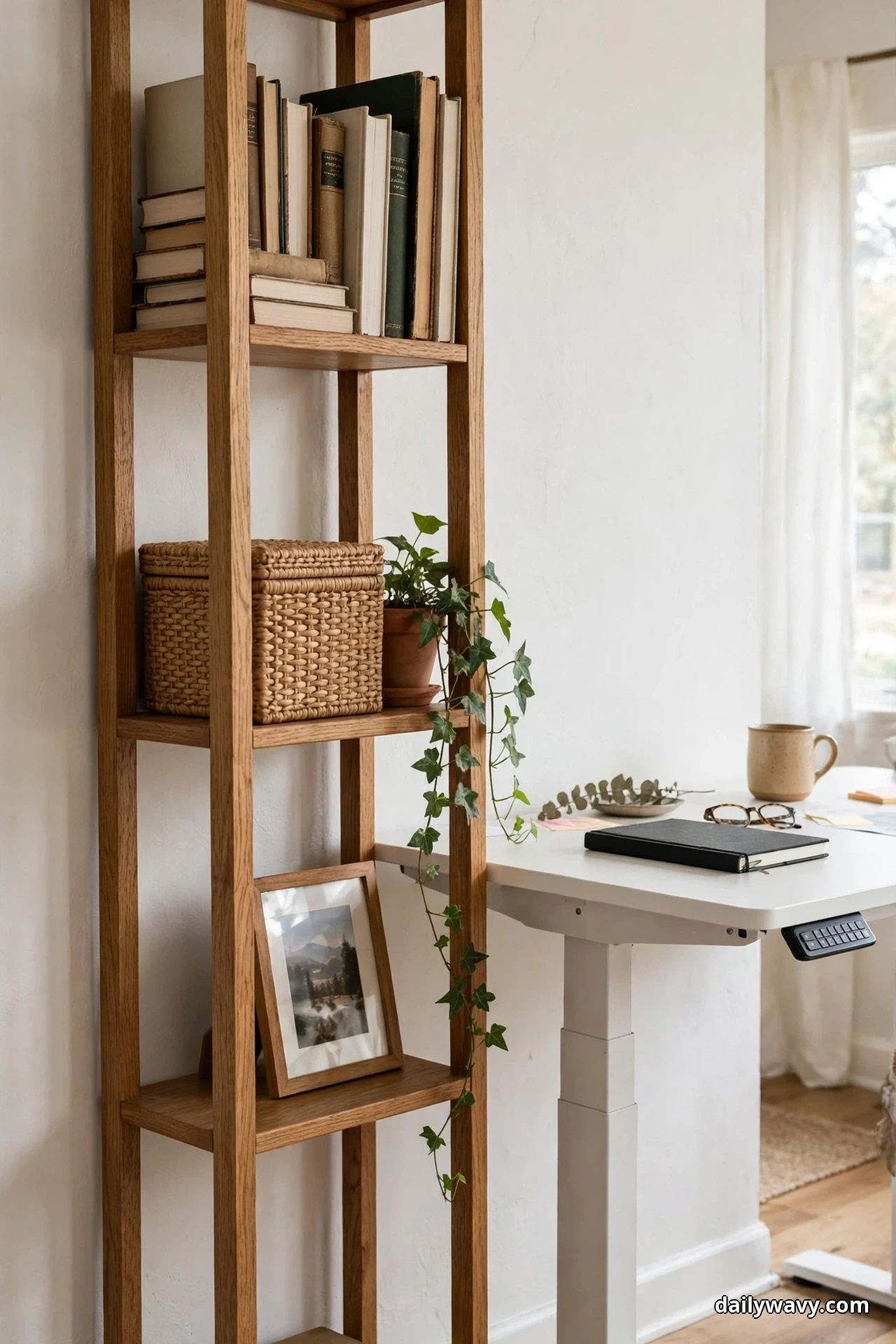
A standing desk has no drawers, so storage has to live somewhere. A narrow bookcase parked right beside the desk solves this without eating floor space. Look for one that is 10 to 14 inches deep, shallower than the 24 to 30 inch desktop, and set it tight against the side of the desk so the two pieces read as one unit. A height between 30 and 36 inches keeps the top of the bookcase at a natural reach from your chair and gives you a bonus surface for a plant or a small lamp.
Fill it with intention. The bottom shelves hold the heavy, ugly stuff: printer paper, reference books, a storage box of cables. The eye-level shelves get the good-looking things: a row of books you actually open, a small framed photo, a trailing plant. Because the bookcase is narrow, every shelf stays visible and nothing disappears into the dark. Measure the gap between the desk leg and the wall first, and leave one inch of breathing room so you can slide the desk up and down without scraping.
If your desk sits in a shared room, this trick matters even more. Our small pantry organization guide uses the same measure-first logic, and it works anywhere storage is tight. Budget wise, a simple narrow bookcase runs 40 to 120 dollars, and a can of matching paint makes a thrifted one look deliberate.
2. A Neutral Desk Mat
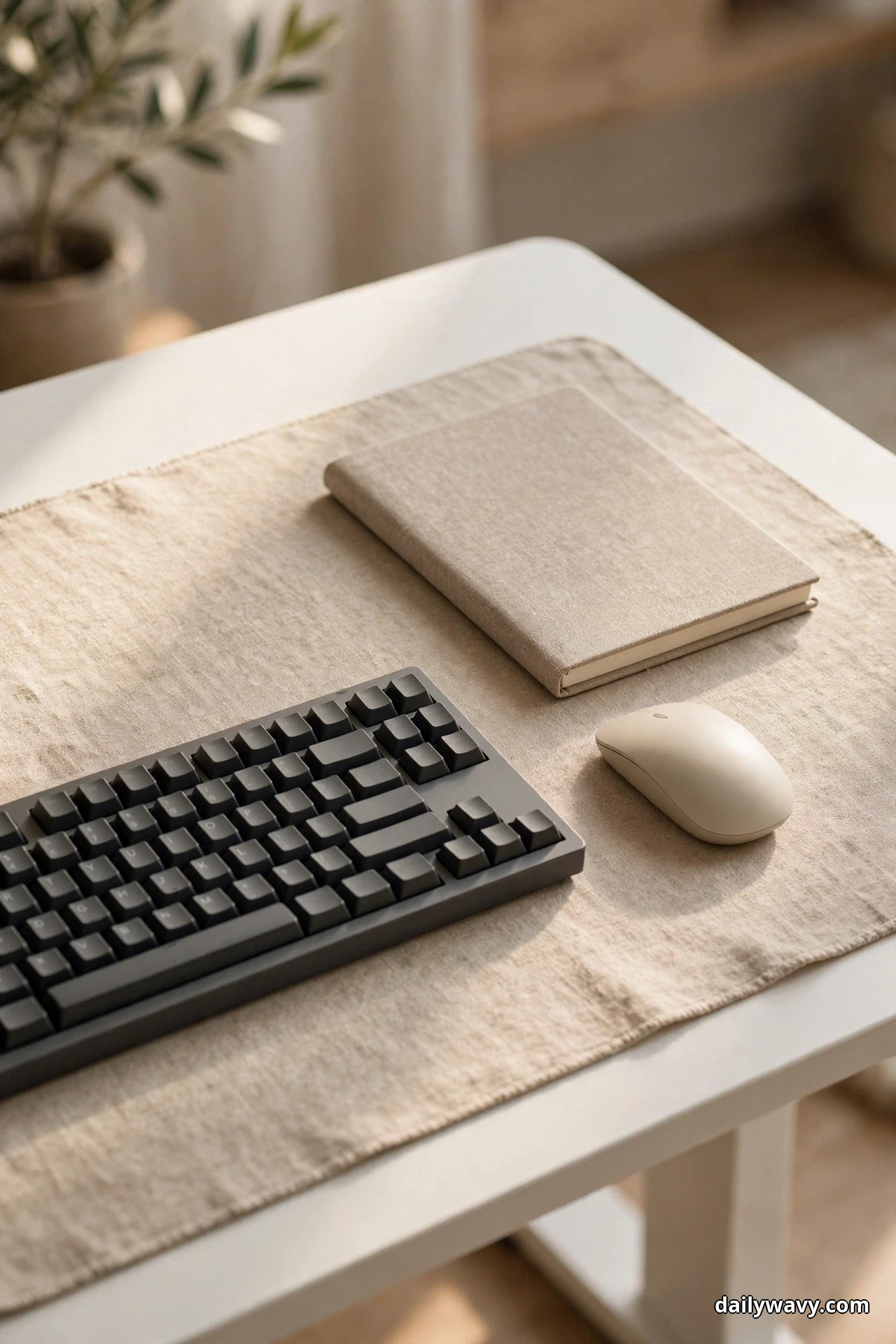
A desk mat is the fastest visual upgrade a standing desk can get. One large mat in beige, oatmeal, or soft gray covers the scuffs, defines your work zone, and gives the whole surface a finished look. It also quiets the clatter of a keyboard and keeps a mouse tracking smoothly on surfaces that are not perfectly matte.
Size matters here. A mat around 31 by 16 inches covers the keyboard and mouse area with room to spare, while a full desk pad around 36 by 17 inches turns the entire desktop into one calm plane. Go for leatherette or woven felt if you want something that wipes clean, or real wool felt if you like texture. Stick to neutrals. The mat is the background of your workday, and a quiet background makes everything on it look better.
The practical win is protection. Standing desks move, and things slide. A mat with a slightly grippy underside keeps your keyboard from wandering when the desk rises. It also catches coffee rings before they reach the finish. Replace it when the edges curl or the surface pills, usually every one to two years of daily use. At 20 to 50 dollars, it is the cheapest transformation on this list.
3. A Closed Box For Chargers
Every desk has a graveyard of chargers, and a closed box is where they go to look respectable. Choose a box in linen, wood, or woven seagrass, roughly 12 by 8 inches, with a lid. Inside sits a small power strip. Drill or cut two small notches in the back edge for cables to enter and exit, and let the box do the visual work of hiding the tangle.
The trick is ventilation. Chargers and power bricks make heat, so the box should not be airtight. A woven texture or a lid that sits slightly ajar handles this naturally. Keep the box at the back corner of the desk, the one your dominant hand reaches least, so the cables you plug and unplug daily stay accessible on the desk surface while the permanent ones hide inside.
Label the bricks with a strip of masking tape and a marker. When something stops working, you will know which brick belongs to which device without unplugging everything. This box also travels well: if you ever rearrange the room, the whole charging station moves as one piece. Expect to spend 15 to 40 dollars, and check that the box is deep enough for your tallest power brick before you buy.

4. An Adjustable Task Chair With Clear Legroom
A standing desk still needs a chair, because nobody stands all day. The right chair is one with adjustable seat height, ideally a range from about 16 to 21 inches, so it works at your sitting preset. A five-star base with smooth casters glides over a mat or a hard floor, and a mid-back design keeps the sightlines of the room open.
The styling part is the legroom. Measure the clear space under the desktop: you want roughly 24 inches of width and 18 inches of depth with nothing in it. No storage boxes, no bags, no footrest that stays out all day. When the chair tucks fully under the desk, the whole setup reads as tidy even in a small room. If the chair has armrests, check that they clear the underside of the desktop at your sitting height, or choose armless.
Color keeps it calm. A chair in gray, black, or oatmeal disappears into the scene instead of competing with the desk. If you already own a chair you like, a washable seat cover in a neutral fabric does the same job for a fraction of the price. And remember the earlier rule: a beautiful chair cannot fix a bad sitting posture, but a chair that actually fits you makes the styled setup feel as good as it looks.

5. A Small Movable Side Cart
When the desk surface is full, the answer is not a bigger desk. It is a small cart that rolls. A three-tier rolling cart, about 15 inches wide and 12 inches deep, holds the things you need within reach but not under your hands: the notebook stack, the headphones, the water bottle, the snack drawer. Park it on the non-dominant side of the desk so it never blocks your chair.
The rolling part matters more than it sounds. When the desk rises to standing height, the cart can slide forward a few inches to meet you. When you sit, it tucks back against the wall. This little dance is what makes a small work area feel flexible instead of cramped. Choose a cart with a handle and locking casters so it stays put when you want it to.
Style it like a mini bookcase. Heavy items on the bottom tier keep it stable, daily tools in the middle, and one small pretty thing on top, a plant cutting in a jar or a framed photo. A cart in white or light wood disappears into a neutral room. Most run 25 to 60 dollars, and they assemble in about fifteen minutes with no special tools.

6. A Dedicated Charging Corner
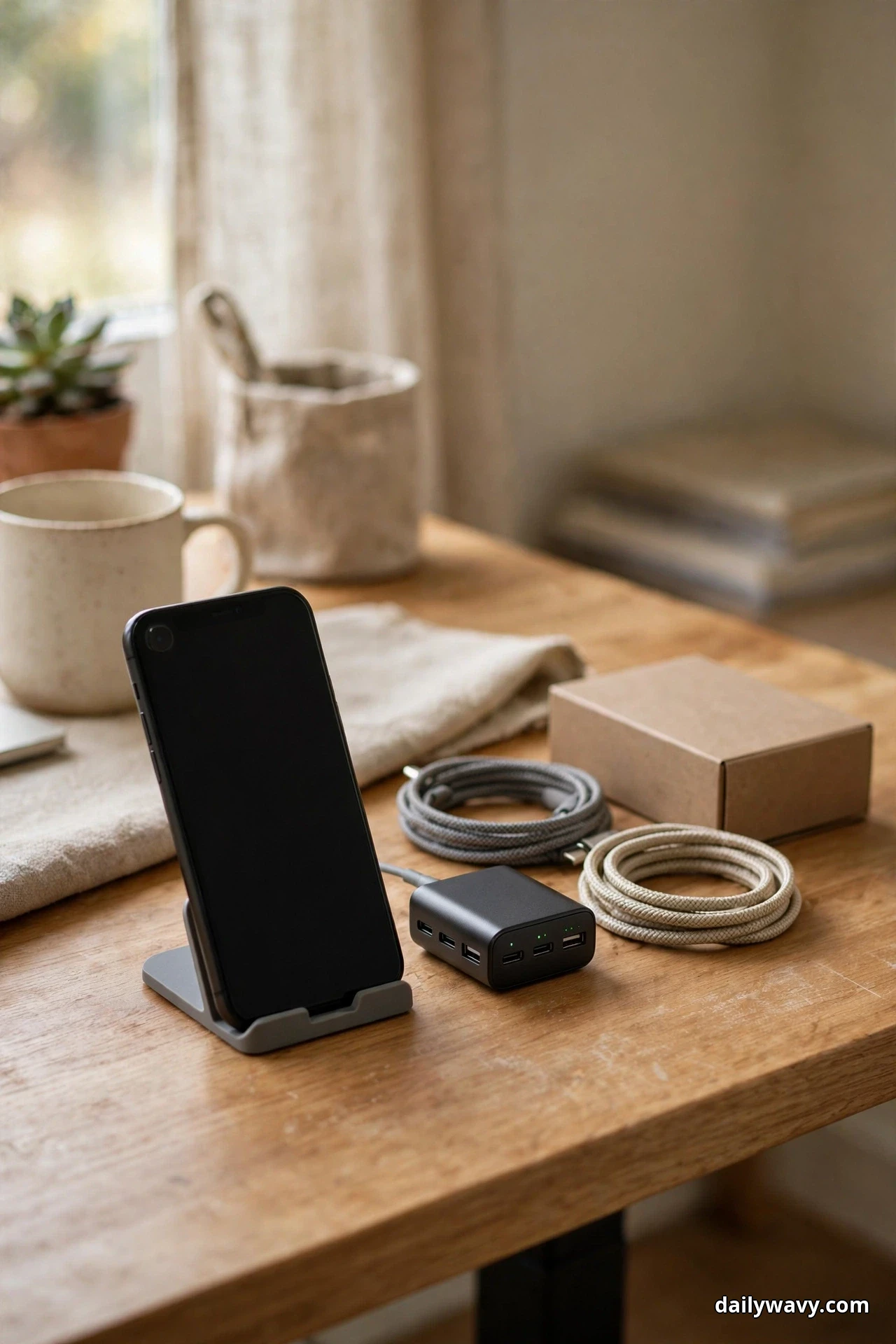
Pick one corner of the desk and declare it the charging zone. Everything that needs power lives there and nowhere else: the phone dock, the earbud case, the laptop brick. When charging has a fixed address, cables stop migrating across the desk and you stop hunting for a free outlet mid-afternoon.
The setup is simple. Place the closed charger box from idea 3 in the back corner, add a short multi-port charger, and keep a small tray or dock beside it for the devices themselves. Run one cable from the box to each device, cut to a sensible length or coiled with a velcro tie. The rest of the desk surface stays cable free, which is half the battle of looking styled.
This corner also becomes a habit anchor. Phone goes on the dock when work starts, comes off when work ends. That tiny ritual does more for focus than any app. If two people share the desk at different times, label one port each. A compact multi-port charger costs 20 to 35 dollars, and the whole corner takes about ten minutes to set up.
7. A Restrained Two-Color Accessory Palette
The difference between a styled desk and a cluttered one is often just color discipline. Pick two neutrals and let them rule everything you can see: the mat, the pen cup, the notebook, the tray, the lamp shade. Cream and oak is a classic pairing. Soft gray and walnut runs a little moodier. Either way, the rule is the same: if it sits on the desk, it matches the palette.
This works because the eye reads matching colors as a single group instead of a dozen separate objects. A beige tray holding black pens still looks calm, because the tray is doing the visual work. Start with the big surfaces, the mat and any boxes, then swap small accessories over time as the old ones wear out. You do not need to buy everything at once.
Keep one accent if you like, a small plant or a single framed print, but let it be the only exception. The restraint is the point. When everything matches, the desk photographs well, video calls look tidy, and the space feels bigger than it is. This idea costs nothing if you shop your own home first, and it makes every other idea on this list look twice as good.

8. A Wall Calendar
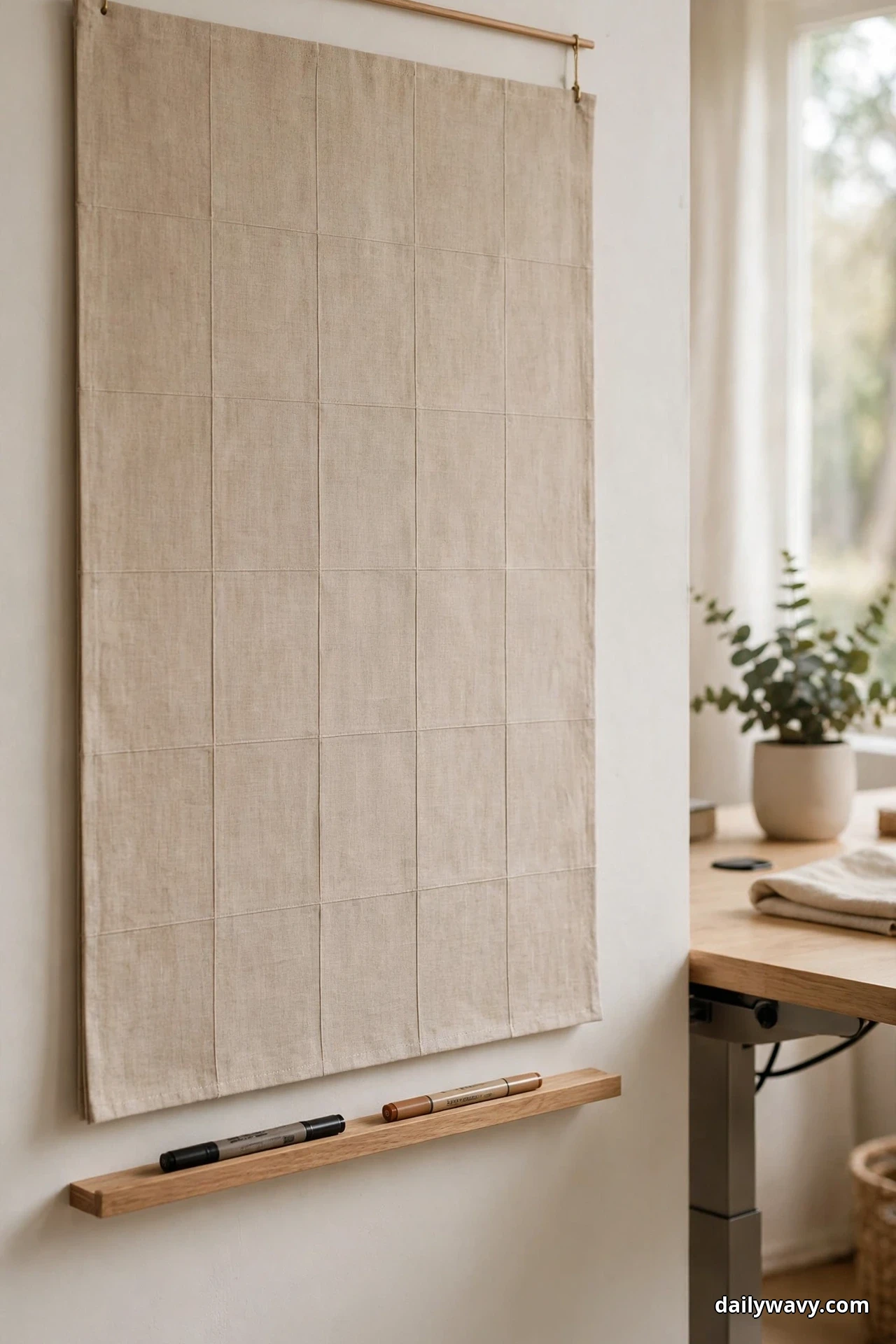
A standing desk puts you on your feet, which means the wall at eye level becomes prime real estate. A large wall calendar there turns dead wall space into a planning tool you actually look at. Choose one with big monthly grids, at least 12 by 12 inches open, and hang it where you can see it both sitting and standing, usually centered 60 to 65 inches from the floor.
The styling win is structure. A calendar gives the wall above or beside the desk a focal point without adding clutter to the surface. Pair it with a slim pen ledge or a magnetic strip holding two markers, and the whole thing reads as intentional. Paper calendars also beat a phone widget for shared households, because everyone walking past can see the plan.
Go for a design that matches your two-color palette from idea 7. Many calendars come in neutral linen or kraft finishes that blend into a calm room. At the end of the year, the used pages make good wrapping paper or drawer liners, which is a small pleasure. Expect to spend 12 to 25 dollars, and hang it with a single removable hook if you rent.
9. A Compact Lamp Off The Main Work Area
A desk lamp does not need to live on the desk. In fact, it works better when it does not. A compact lamp parked on the side cart, the bookcase top, or a nearby shelf throws warm light across the work area without stealing a single inch of desk surface. This is the move that makes a small desk feel bigger.
Look for a lamp with a small footprint, a shade no wider than 8 inches, and a warm bulb around 2700 to 3000 Kelvin. That warm tone flatters wood and fabric and feels right in the evening, when overhead lights turn harsh. A simple on-off switch or a touch base keeps it fuss free. If the lamp sits behind the monitor, it also reduces the contrast between the bright screen and the dark room, which many people find easier on the eyes.
Position it on the opposite side from the window so the light balances the daylight instead of competing with it. The cord runs down behind the furniture to the same outlet as the desk, keeping the floor clear. A good compact lamp costs 25 to 50 dollars, and it doubles as ambient light for the whole corner when work is done.

10. A Vertical File Holder
Paper piles are the enemy of a styled desk, and a vertical file holder is the simplest weapon against them. Unlike a flat tray, which becomes a burial ground, a vertical sorter keeps every project visible and reachable. Give each active project one slot, and cap the total at five or six. If a seventh project appears, something else has to be filed or finished first.
Place the holder at the back corner of the desk, upright and perpendicular to the wall, so it reads as a tidy bookend rather than a clutter magnet. A holder in wood, metal mesh, or acrylic keeps the two-color palette intact. Sort by action, not by topic: to do, waiting on someone, to file. That way the holder works as a workflow, not just storage.
Empty it weekly. Friday afternoon, five minutes: file what is done, recycle what is dead, and leave the slots clean for Monday. This tiny routine is what separates a file holder that styles the desk from one that just holds clutter vertically. Most holders cost 12 to 30 dollars, and a label maker or a strip of tape keeps the slots honest.

11. A Small Tray For Everyday Tools
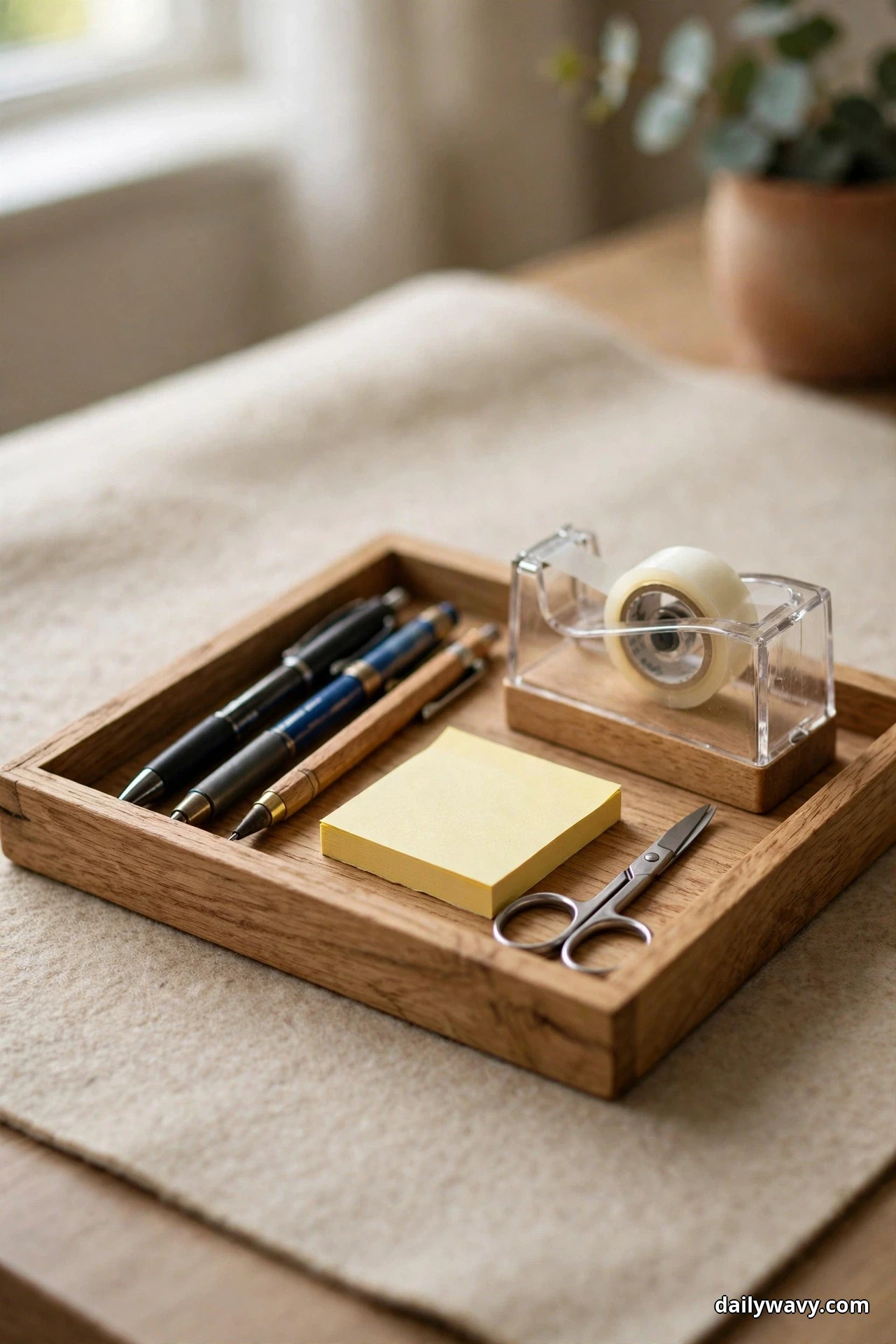
Pens, scissors, sticky notes, the tape dispenser: the small tools of a workday scatter fast. A single tray corrals them into one defined zone. Choose a tray about 12 by 8 inches with a low rim, in one of your two palette colors, and everything you reach for daily lives inside it and nowhere else.
The tray trick works on two levels. Visually, it turns six loose objects into one composed group. Practically, it gives every tool a home, so tidying up means sliding the tray back into place instead of gathering strays. Keep the tray on your dominant side, within easy reach but clear of the keyboard. If it starts overflowing, that is the signal to edit, not to buy a bigger tray.
A wooden or leather tray looks intentional; a ceramic one adds a little weight and craft. Avoid trays with tall dividers, which make small tools hard to grab. This is a 10 to 25 dollar fix, and it pairs beautifully with the desk mat from idea 2, since the tray sits on the mat like a little island of order.
12. A Cable Channel Beneath The Desk
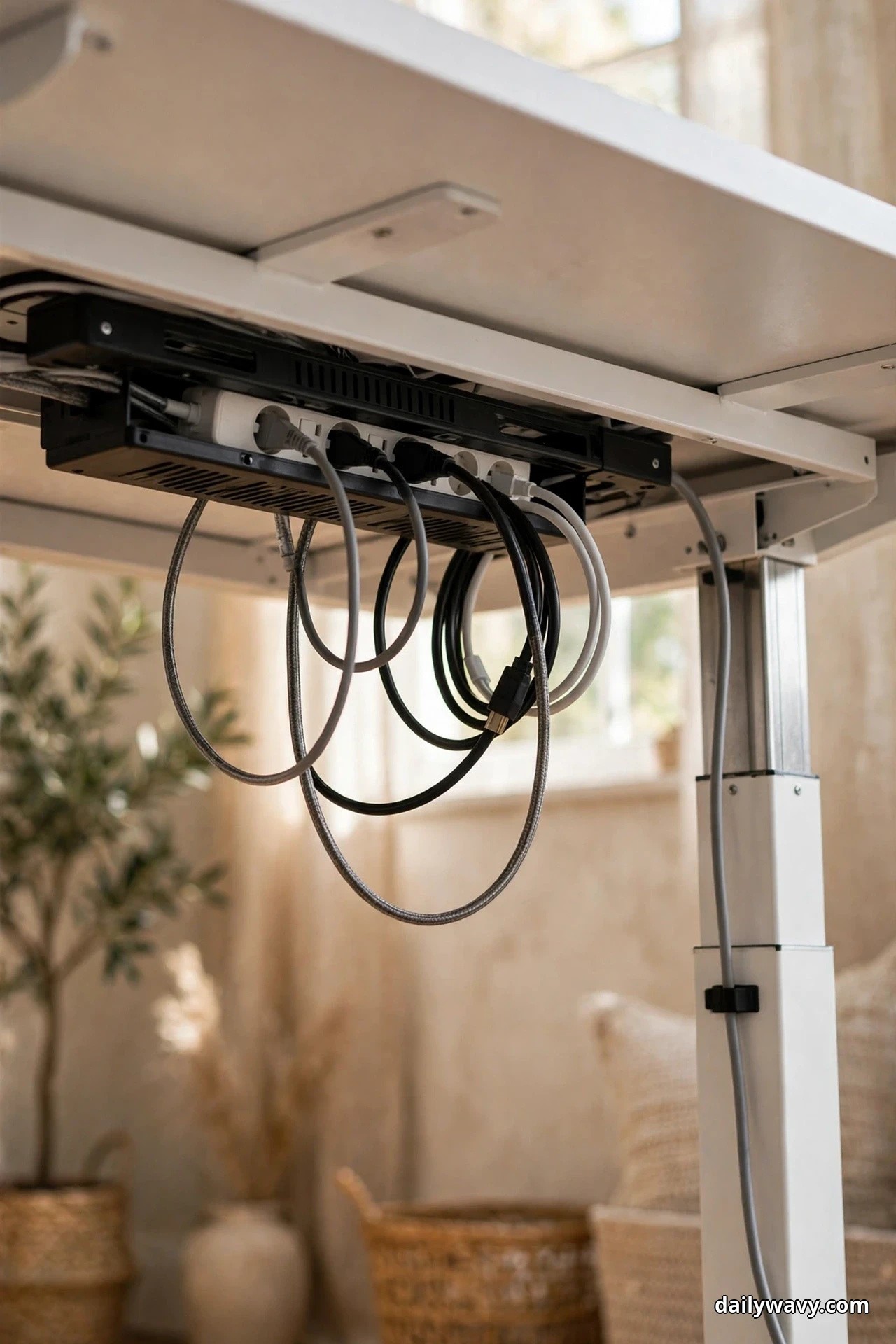
This is the idea that makes all the others work. A cable channel mounted under the desktop gathers the power strip, the adapters, and the slack into one hidden run. When the desk rises, the cables travel with it. When it lowers, nothing drags on the floor or snags on the chair base.
Mount the channel to the underside of the desktop toward the back, using the screws or adhesive pads it ships with. Most channels are 16 to 24 inches long and hold a standard six-outlet strip plus several bricks. Leave generous service loops, extra cable length coiled loosely, at both ends so the full height range moves freely. Then run a single cord from the strip down to the wall outlet, clipped to a desk leg with adhesive cable clips.
Check the movement once after installing: raise the desk fully, lower it fully, and watch the cables. Nothing should pull taut or catch. This five-minute test prevents the slow damage that kills chargers and the sudden yank that topples the lamp. A channel costs 15 to 30 dollars, and it is the single most transformative upgrade for any sit-stand desk. If your work area shares a wall with the living room, our narrow living room layout ideas apply the same discipline at room scale, keeping one clear walking route open so a tight space never feels like a corridor.
Frequently Asked Questions
What height should my standing desk be for sitting and standing?
There is no single number, because it depends on your height. A good starting point: when sitting, the desk should let your elbows rest near 90 degrees with feet flat on the floor, which lands around 28 to 30 inches for most adults. When standing, elbows near 90 degrees again with the screen top at or slightly below eye level, often 40 to 46 inches. Fine-tune from there, and save both positions if your desk has memory presets.
How do I stop cables from snagging when the desk moves up and down?
Give every cable slack and a fixed path. Mount a cable channel under the desktop, keep the power strip inside it, and leave loose service loops at both ends so nothing pulls taut at full height. Clip the single cord running to the wall along a desk leg. Test the full travel range once after setup and watch for catches.
Where should I put the desk to avoid screen glare?
Perpendicular to the window is the sweet spot, so daylight falls across the screen rather than behind or in front of it. If you must face the window, add a sheer curtain to soften the contrast. A matte screen protector is a cheap extra layer of defense, and it helps most in bright rooms.
Do I need a special chair for a standing desk?
You need a chair that fits your sitting height and tucks fully under the desk. An adjustable task chair with a seat range around 16 to 21 inches covers most people. Beyond that, comfort is personal: try before you buy if you can, and keep the knee space clear so the chair can actually slide in.
Will styling my desk make me more productive?
Honestly, there is no solid evidence that a pretty desk alone boosts output. What an organized setup does is remove friction: you stop hunting for chargers, shuffling papers, and fighting glare. That saved attention adds up over a workday. Think of styling as maintenance for your focus, not a productivity hack.
Can I do all of this in a rental without drilling?
Yes. Every idea here works with freestanding furniture and removable fixings. Use adhesive cable clips, a tension-mounted or leaning bookcase, and removable hooks for the calendar. The only thing to check is the cable channel: many mount with strong adhesive pads instead of screws, which come off cleanly with heat from a hair dryer.
The Takeaway
A standing desk asks for a different kind of styling than a regular desk, because it moves. The twelve ideas in this guide all respect that movement: storage that rolls, cables that travel, light that lives off the surface, and a palette that keeps everything calm at both heights. You do not need all twelve at once. Fix the cables first, then the chair legroom, then pick the two or three ideas that match how you actually work. For more small-space thinking, browse the Home and Decor collection and our small entryway decor ideas, which use the same measure-first, hide-the-mess philosophy in even tighter quarters. A thoughtful work area is not about perfection. It is about a desk that disappears into your day so the work can take center stage.